Portfolio Sample
Purpose:
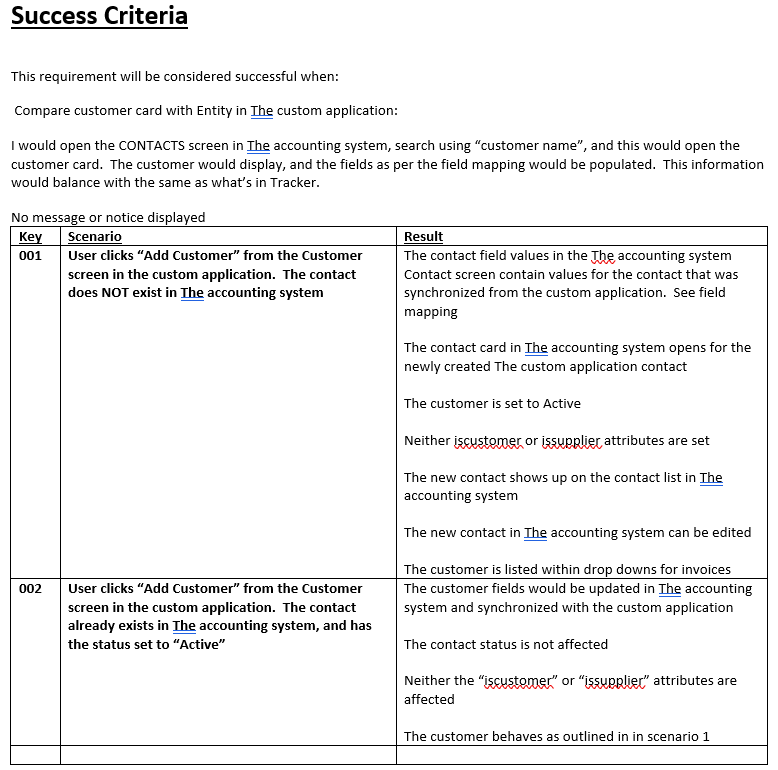
Past clients have found this layout valuable as it illustrates the elements of a software project which developers need most often.
Diagnosis:
Developers need an understanding of why the business has the need. Providing the technical team with: who needs the solution, how they expect to benefit, and a brief description of why it’s important is a powerful way to bring a technical person up to speed. Developers will want to know where this solution will be executed which is the “trigger”.
This document starts out as a template. The investigations with stakeholders is driven by the elements in this Use Case. The first things to investigate will be: who, what, why, when, and how.
In this case the client had not used a Use Case before and didn’t know how to use it. Having the sections allowed a visual understanding for team members to see what had to be filled in and why it was so important.
Once the documents started taking shape, stakeholders began to recognize it’s value and it helped communicate clarity.
In one company, this document was stored in Sharepoint with a link from within VSTS, to Sharepoint. Within VSTS, There was a User Story with a brief outline and then a link to this document.
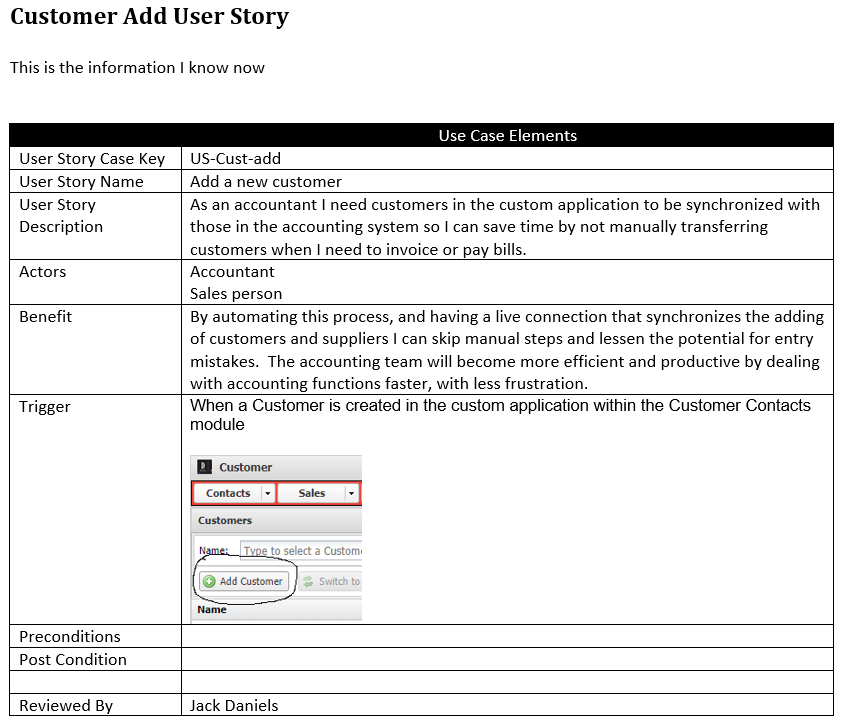
When people modify this use case they explain what they did and record the change order iteration or version release number related to the change. This way it’s possible to trace what has been done, when, and why.
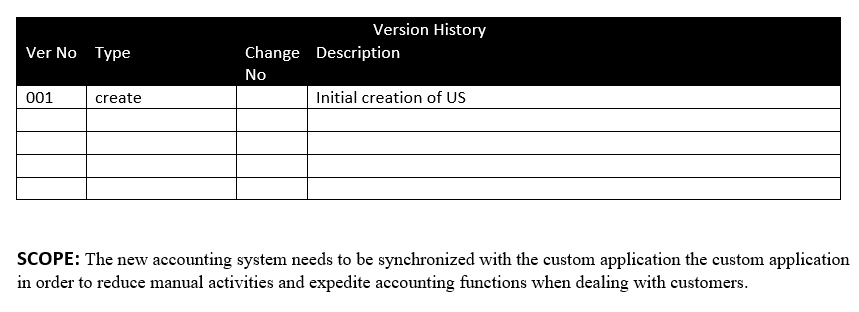
Diagraming the workflow or data flow is a great way to illustrate what and how the solution should work and has really helped developers capture what needs to be done. Programatically, there coud be different methods of managing functionality and possible immplementation of the code.
I’ve experienced times when words only confuse developers, so a diagram points things out in a way that words simply could not do. Also, there are times when terms, or names of things are accidentilly missunderstood, a picture tells a thousand words.
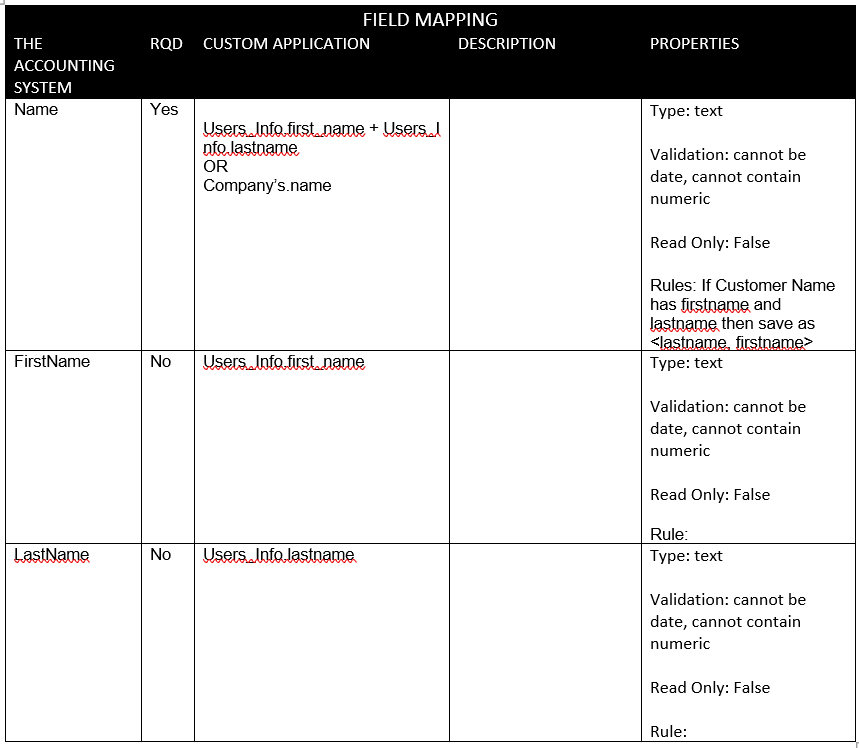
When data is being managed in any way, the integration between the UI (user Interface) and the database, or even between two separate systems, a data map will translate how the data needs to shake hands.
Field maps are good for developers because it tells them the field information including the data type, any rules that dictate how the field must be navigated and treated.
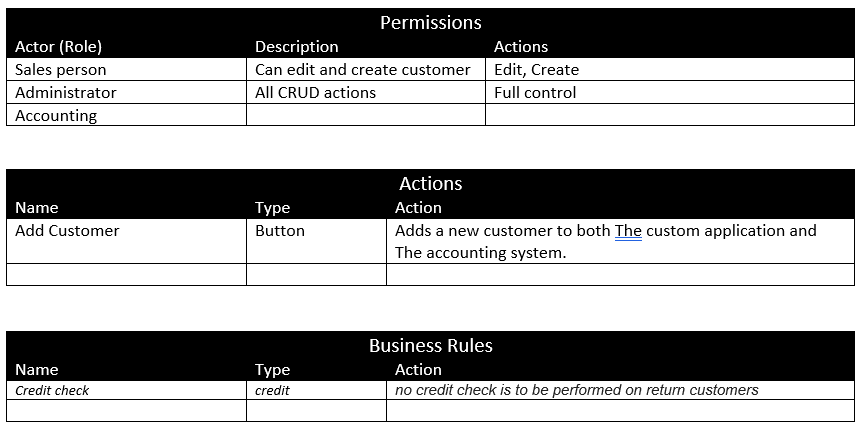
As will all software today, thhere’s almost always a security spect which governs the users. Most software utilizes “Role” based permissions and this must be clearly described so private data is not compromised.
If there are rules that restrict or control system decisions they need to be discussed, and usually, each rule is stored elsewhere and a reference is made to the rules engine repository.
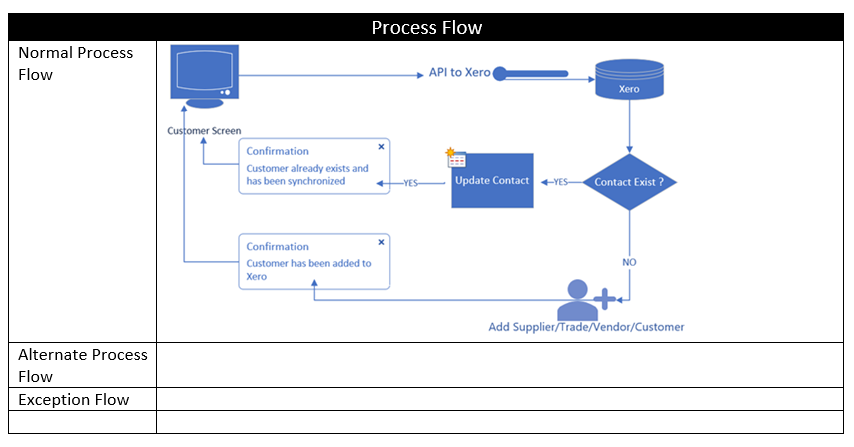
Success Criteria, likely the most important section of a use case. In this particular case, the client was experiencing poor quality as a result of no one knowing what complete meant. The number of times work was re-done because end users did not feel the solution worked the way they feel it should, this was becoming incredibly inefficient. This Use Case, with the specific Success Criteria help end users and stakeholders think through what they felt would be “success”.
Success criteria forms an understanding between the tech team and the end user.
Experience has taught me to uncover, the belief of what an end user expects, and the interpretation of what a developer thinks should happen. Clarifying details like success, encourages and enables understanding.
In an age when all things are gauged on productivity, repeating UAT 4-5 sometimes or more until things work right, simply isn’t sensible or acceptble. The testing team will use this as the building block to design their scripts when testing. When Testers have this information the process is faster, more accurate and reliable. Solutions can be completed in less time, and the value perceived by stakeholders increases dramatically.